 Simon
Simon
·
Dev Log DevKnife Update 1.8.0
DevKnife 1.8.0 introduces a powerful quick search feature with fuzzy matching to navigate between tools instantly, plus enhancements to the SVG Editor and performance improvements.
Read MoreIn version 1.5.0 of DevKnife, I’ve added a Regex Tester, a new SVG Editor, and significantly improved the Markdown Editor with file system capabilities.
This update focuses on simplifying how you handle complex string patterns and vector graphics, while also polishing the overall experience with helpful UI updates.
Regular expressions are powerful, but writing them can be trial-and-error. The new Regex Tester provides a dedicated playground to build and verify your patterns before you commit them to code.
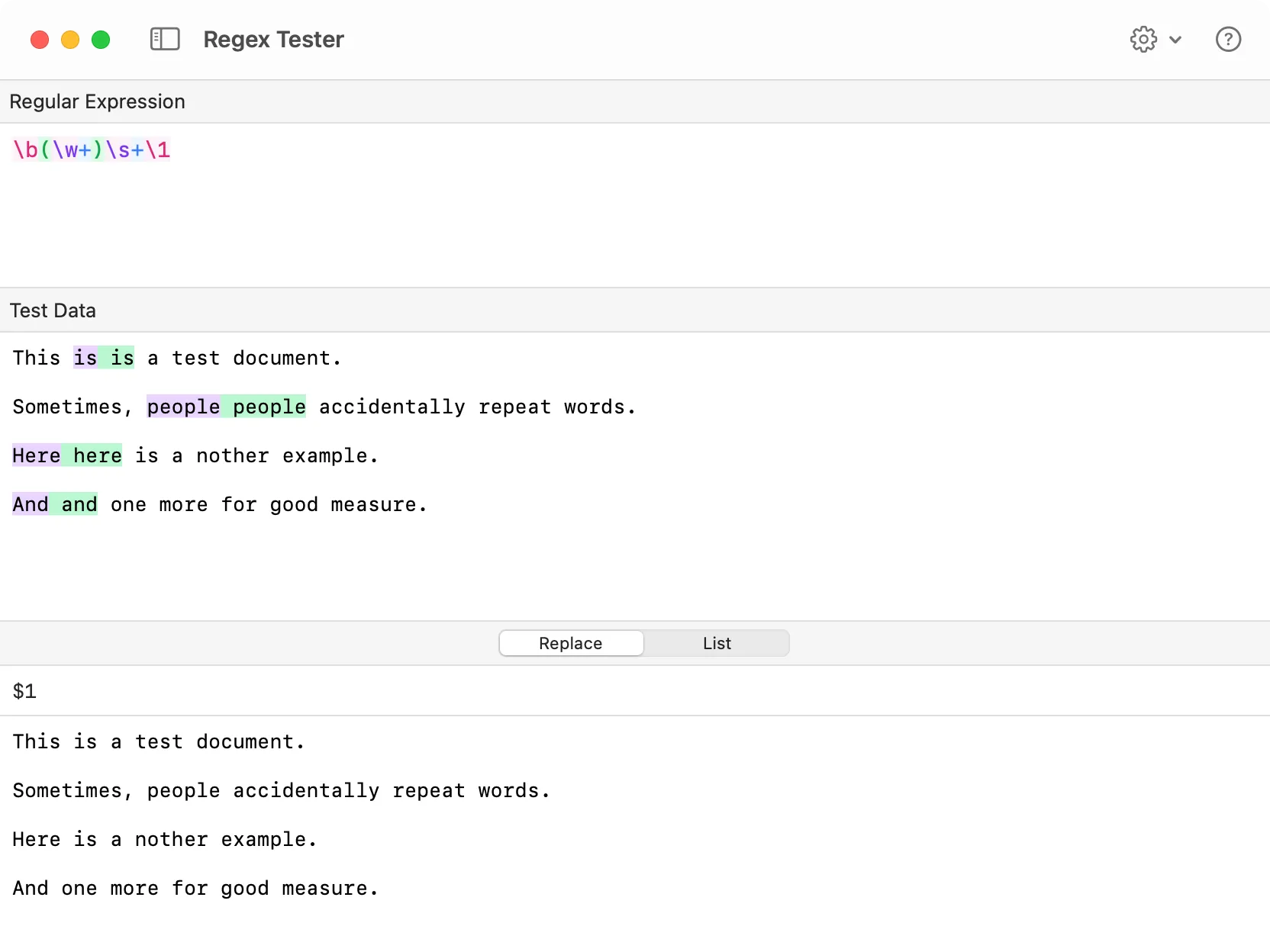
The new Regex Tester interface showing capture groups and search‑and‑replace logic.
The tool creates a focused environment with specific features to help you debug patterns faster:
Here are the features designed to help you test regex patterns:
Real-time validation: Type your pattern and test string to see matches instantly.
Pattern Syntax Highlighting: Complex expressions are easier to read with color-coded syntax.
Capture Group Highlighting: Visual cues make it easy to differentiate between captured groups.
Search and Replace: Verify text transformations by previewing how your pattern and replacement variables modify the input.
Customizable: A new settings menu allows you to configure pattern options (regex flags), appearance, and layout to match your workflow.
Working with vector icons often requires quick tweaks to source code. The new SVG Editor allows you to edit local files or paste raw code to visualize the output immediately. It’s perfect for adjusting stroke widths or changing fill colors without firing up heavy design software.
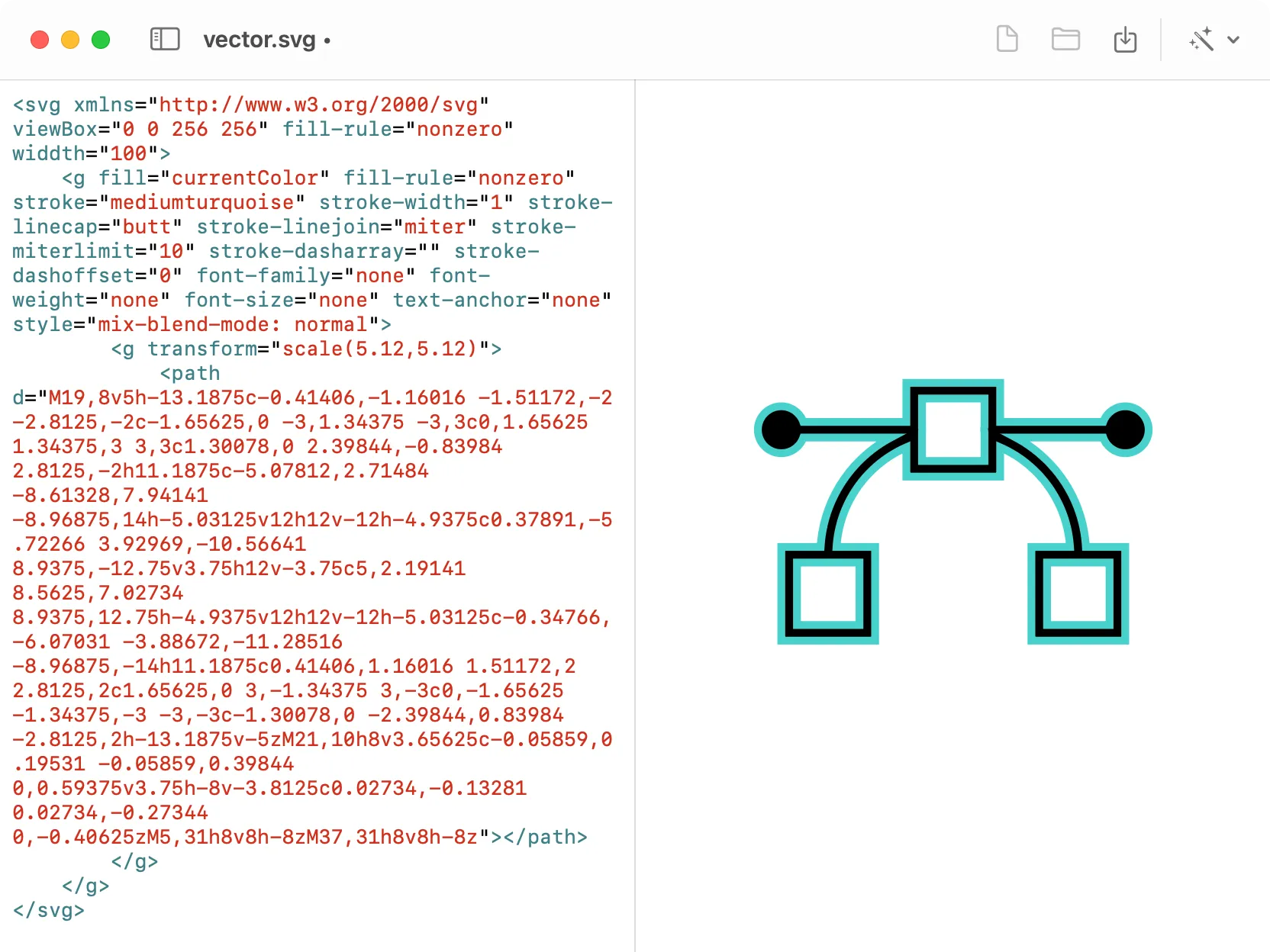
Edit SVG source code with syntax highlighting and a real‑time visual preview.
Beyond simple editing, the tool offers several utilities to prepare icons for production:
Code Optimization: Instantly format the SVG for readability or minify it to reduce file size. You can also strip unnecessary metadata to keep your codebase clean.
Quick Fixes: Make icons responsive by removing fixed width/height attributes, or set the fill to currentColor to make them easily styleable via CSS.
Versatile Export: Copy the result as a Data URI for use in CSS backgrounds, or export it as a standard PNG image.
Along with the new tools, version 1.5.0 (and the follow-up 1.5.1 and 1.5.2 patches) includes several quality-of-life improvements:
Markdown Editor: The Markdown Editor has graduated from a temporary scratchpad to a file-ready tool. You can now open and save files directly from the editor.
Changelog Access: Added a button to the dashboard so you can quickly read release notes.
Version Visibility: The current version number is now displayed directly on the dashboard.
Converter Fix: Fixed an issue where syntax highlighting didn’t update correctly when switching output formats.
That’s everything for version 1.5.0. From tweaking vector icons to debugging complex text patterns, these new tools make DevKnife an even more versatile companion for your daily workflow.
If you haven’t yet, grab the latest version and take the new tools for a spin. As always, your feedback helps shape future updates.
DevKnife 1.8.0 introduces a powerful quick search feature with fuzzy matching to navigate between tools instantly, plus enhancements to the SVG Editor and performance improvements.
Read More
Fast, private, and built for macOS.