 Simon
Simon
·
Dev Log DevKnife Update 1.6.0
DevKnife 1.6.0 introduces a powerful HTTP Client for testing APIs, along with improved theming, customizable fonts, and enhanced JWT Debugger integration.
Read MoreComparing text on macOS can be a bit of a pain. The system doesn’t offer much out of the box, so developers often fall back on command line tools like diff or install large, feature-heavy apps that feel excessive when all you need is a quick comparison.
diffdiff is a powerful built-in tool for comparing files, but it requires Terminal knowledge and isn’t beginner-friendly. It works well for quick file diffs if you’re comfortable with the CLI, but it can feel intimidating for casual users who just want a simple visual comparison.
Tools like Beyond Compare and Kaleidoscope are excellent for developers who do frequent comparisons or need advanced features such as folder synchronization, three-way merges, and detailed diff reports.
However, these tools can feel heavy, expensive, or overkill if you only need to spot occasional differences in text.
Online tools are easy to access and often free, making them appealing for quick comparisons without installing anything.
However, they require you to upload your text to third-party servers, which can be risky if you’re dealing with sensitive data like code snippets, configuration files, or private information.
o while they’re convenient, it’s wise to think twice before pasting anything confidential.
DevKnife is a macOS app that bundles useful developer tools into one place — including a fast and simple Text Compare tool.
It’s designed for quick checks when you don’t want to touch the terminal or fire up a big editor.
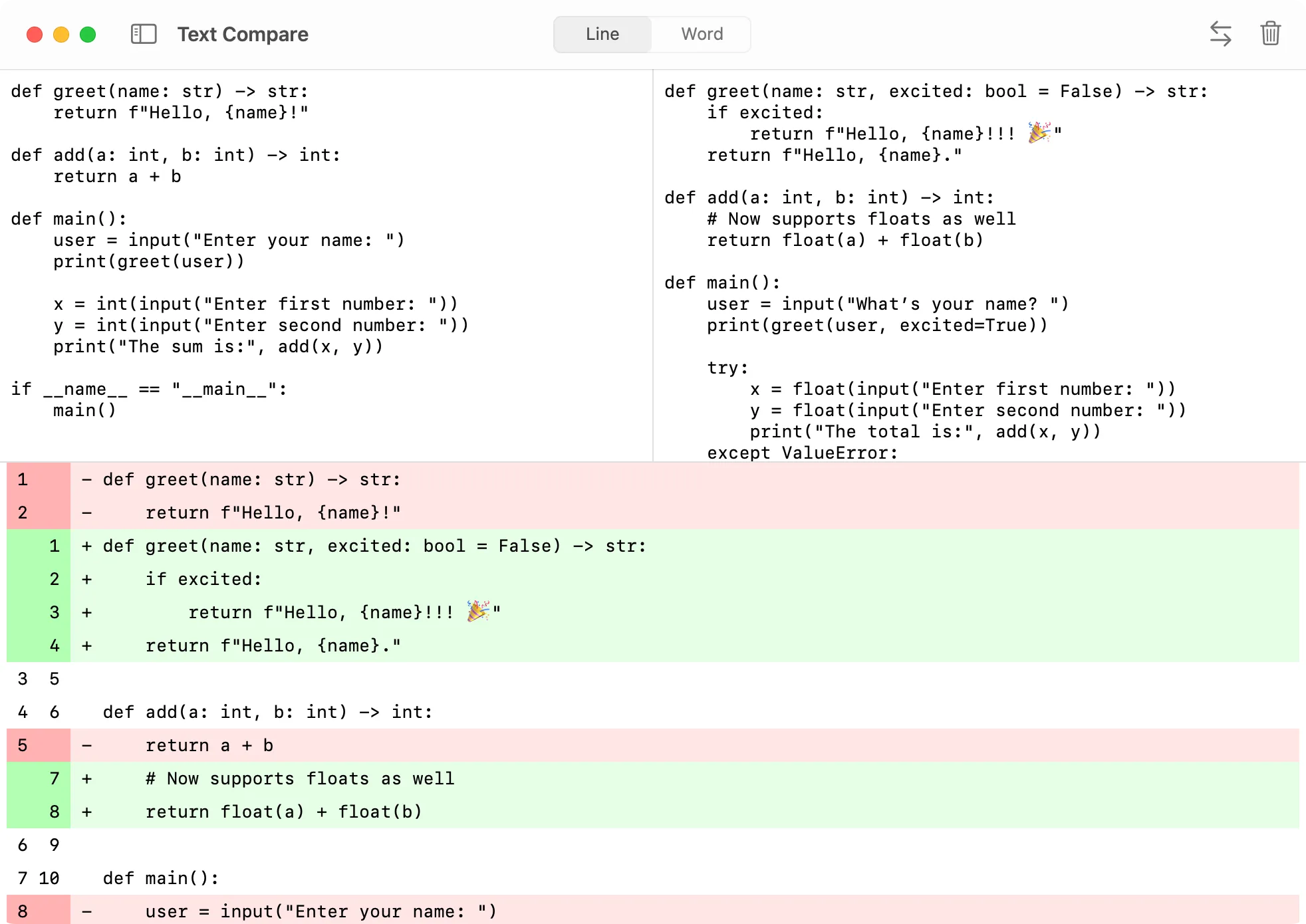
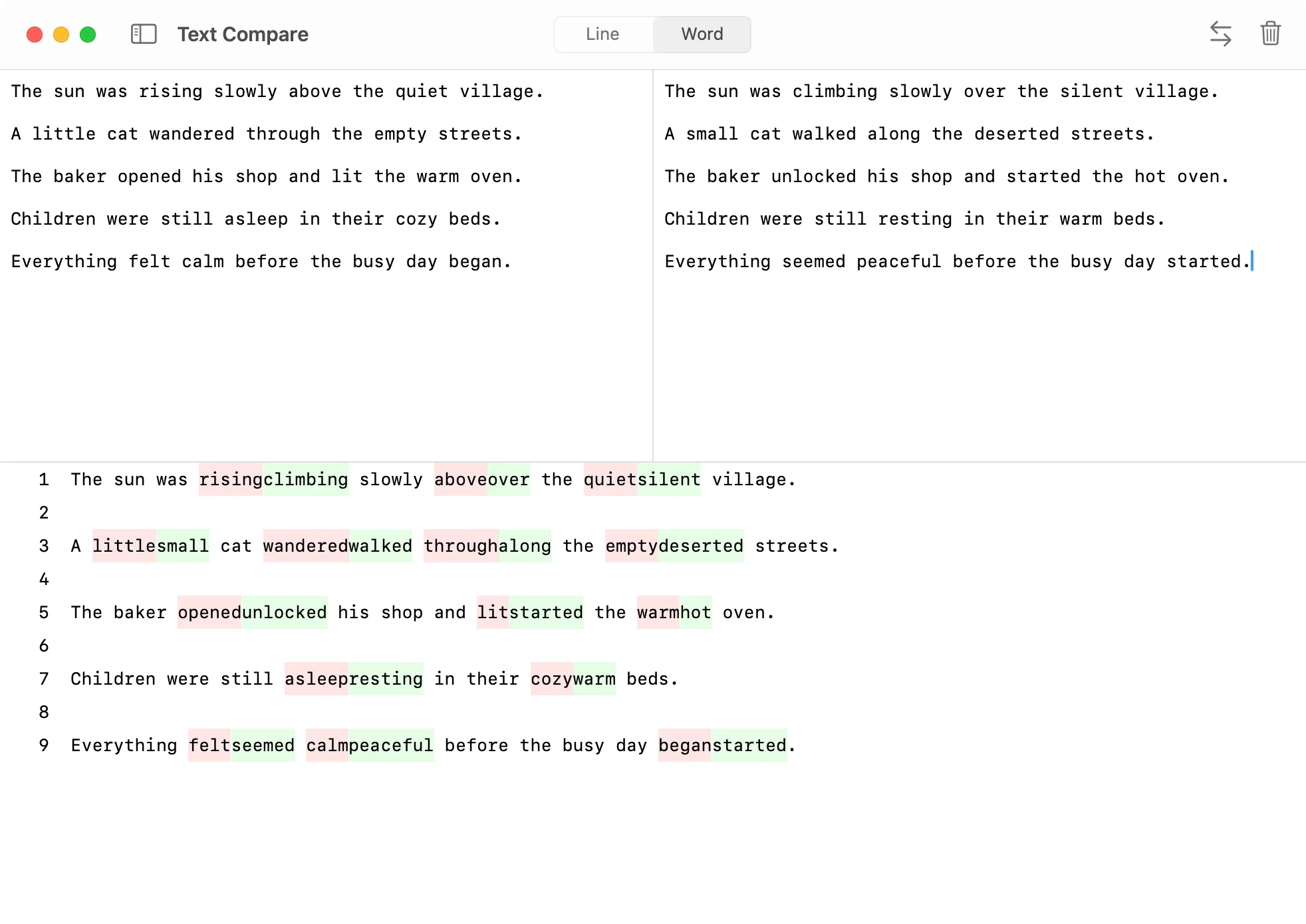
DevKnife supports two compare modes: Line and Word. These modes work differently to help you spot differences in the way that best suits your needs.
Line mode compares text line by line, making it ideal for quickly identifying changes in code, configuration files, or any text where line structure matters.
Word mode compares text word by word, which is useful for catching smaller changes within lines, such as typos, wording differences, or minor edits.
No setup, no learning curve, no risk of sending your data to third-party servers — DevKnife works fully offline.
Quick and simple: open the app, paste text, compare. This saves you time by avoiding the complexity of command line tools or the bloat of large applications, making your workflow more efficient.
Private: nothing leaves your computer. All processing happens locally, so there is no risk of your sensitive data being sent over the internet or exposed to third-party servers.
Native macOS app: smooth, fast, and distraction-free. DevKnife integrates seamlessly with macOS, offering excellent performance and a consistent user interface that feels right at home on your Mac.
Bonus: DevKnife comes with 10+ other handy developer tools. This reduces the need to install and switch between multiple apps, streamlining your development toolkit in one convenient place.
If you’ve been looking for an easy way to compare text on macOS without the command line or bloated apps, give DevKnife a try.
It might just become your go-to tool for quick, everyday dev tasks.
DevKnife 1.6.0 introduces a powerful HTTP Client for testing APIs, along with improved theming, customizable fonts, and enhanced JWT Debugger integration.
Read More
Fast, private, and built for macOS.