 Simon
·
Dev Log DevKnife Update 1.15.0
DevKnife 1.15.0 adds a new Ruler tool, a new HTML Editor, a revamped CSV Editor, Find support across more tools.
Read MoreVersion 1.19.0 adds a new tool for exploring macOS app bundles and brings a substantial set of improvements to DevKnife’s code and Markdown editors.
The new App Bundle Inspector shows what is inside a macOS app, from general metadata and disk usage to privacy manifests, code signing, entitlements, and executable dependencies. This release also adds optional Vim keybindings, synchronized Markdown scrolling, YAML frontmatter support, and safer handling of Markdown files changed inside or outside DevKnife.
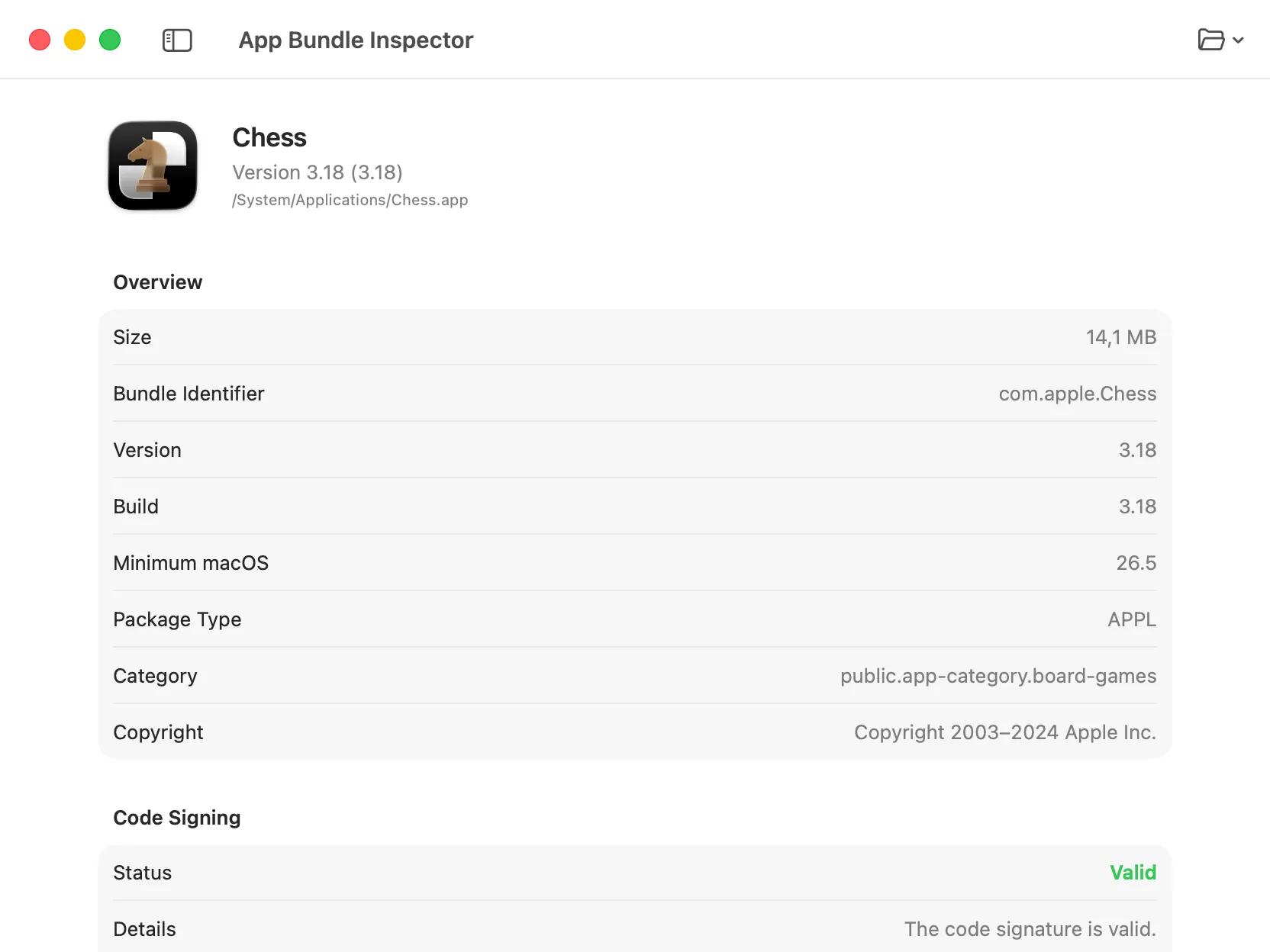
Metadata, bundle contents, privacy declarations, and executable details in one view.
App Bundle Inspector is a new tool for examining macOS applications without browsing their bundle structure manually.
Drag an app into DevKnife or choose one from the file picker. The inspector then groups the available information into sections for:
The tool also keeps a list of recent apps, making it easy to return to an app after rebuilding or updating it. Inspection happens locally on your Mac.
Read more about App Bundle Inspector in the docs.
DevKnife’s code editors now include optional Vim keybindings. You can enable them from the editor settings when you want modal editing without changing how the editors work by default.
The integration includes Normal, Insert, Visual, and Visual Line modes, together with common navigation, editing, selection, paste, undo, redo, and count-based commands. A small mode indicator shows the active Vim mode inside the editor.
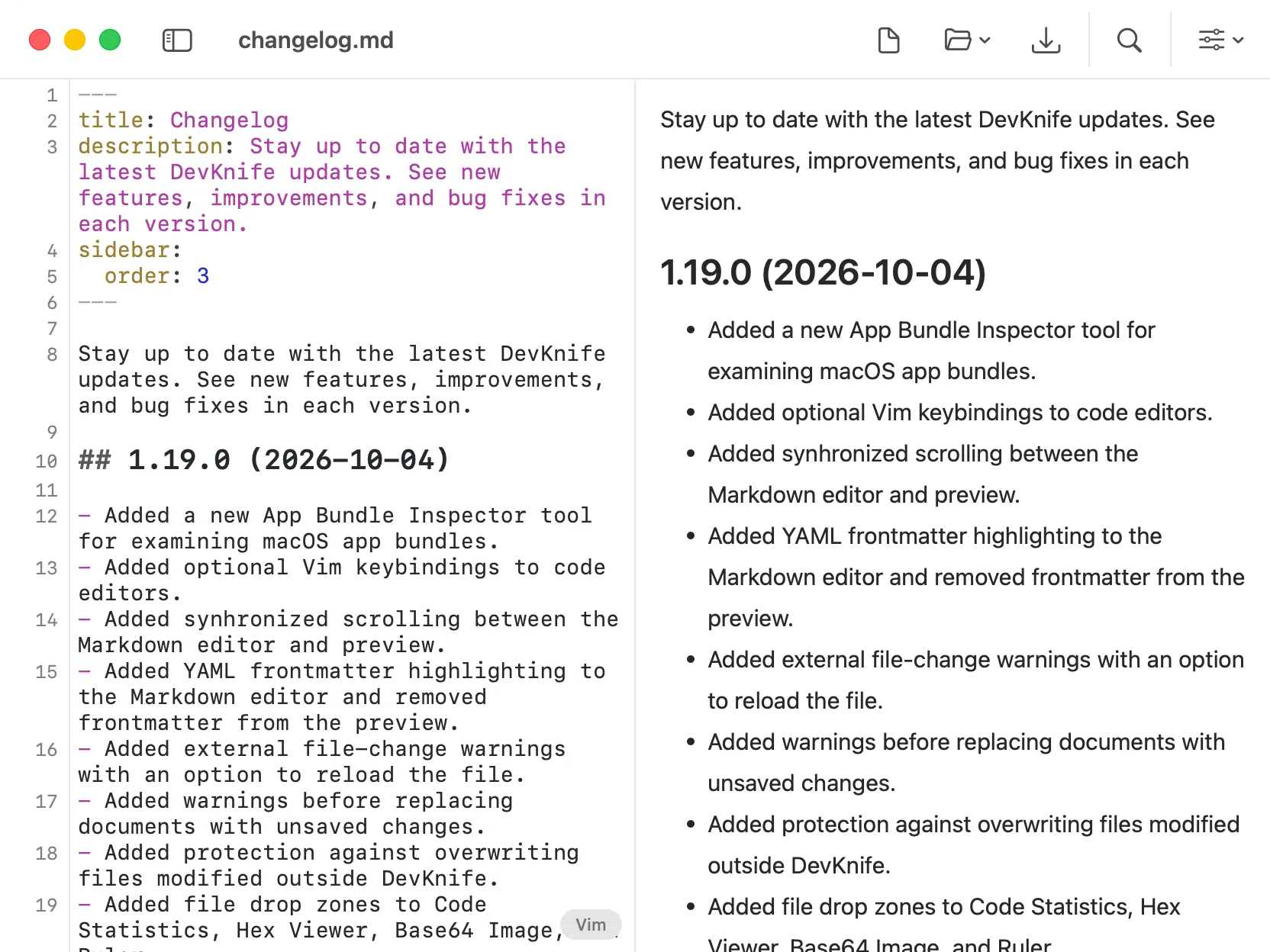
Edit Markdown and review the rendered result side by side.
The Markdown editor now supports optional synchronized scrolling between the source and preview panels. The setting is disabled by default, so you can turn it on only when it fits the document you are editing.
YAML frontmatter is now highlighted in the editor and excluded from the rendered preview. This keeps metadata visible while writing without showing it as part of the article itself.
Code blocks in the preview also have an improved appearance, making them easier to distinguish from surrounding text.
The Markdown editor now watches the open document for external changes. When another app modifies the file, DevKnife displays a warning with an option to reload it.
It also protects against accidentally overwriting a file that changed outside DevKnife. Warnings appear before replacing a Markdown document with unsaved changes, including when opening another file or creating a new document.
Read more about the Markdown Editor in the docs.
DevKnife 1.19.0 makes the app more useful for both inspecting macOS software and working with text. App Bundle Inspector brings important bundle details into one native interface, while Vim support and the Markdown improvements make everyday editing more comfortable. Code Statistics, Hex Viewer, Base64 Image, and Ruler also gain consistent file drop zones.
DevKnife 1.15.0 adds a new Ruler tool, a new HTML Editor, a revamped CSV Editor, Find support across more tools.
Read More
Fast, private, and built for macOS.