

Regex Editor
The Regex Editor tool provides a powerful and interactive environment for crafting, testing, and understanding regular expressions. Whether you’re validating input, parsing logs, or extracting specific data from text, this tool offers live feedback and clear visualizations to help you master regex.
Using The Tool
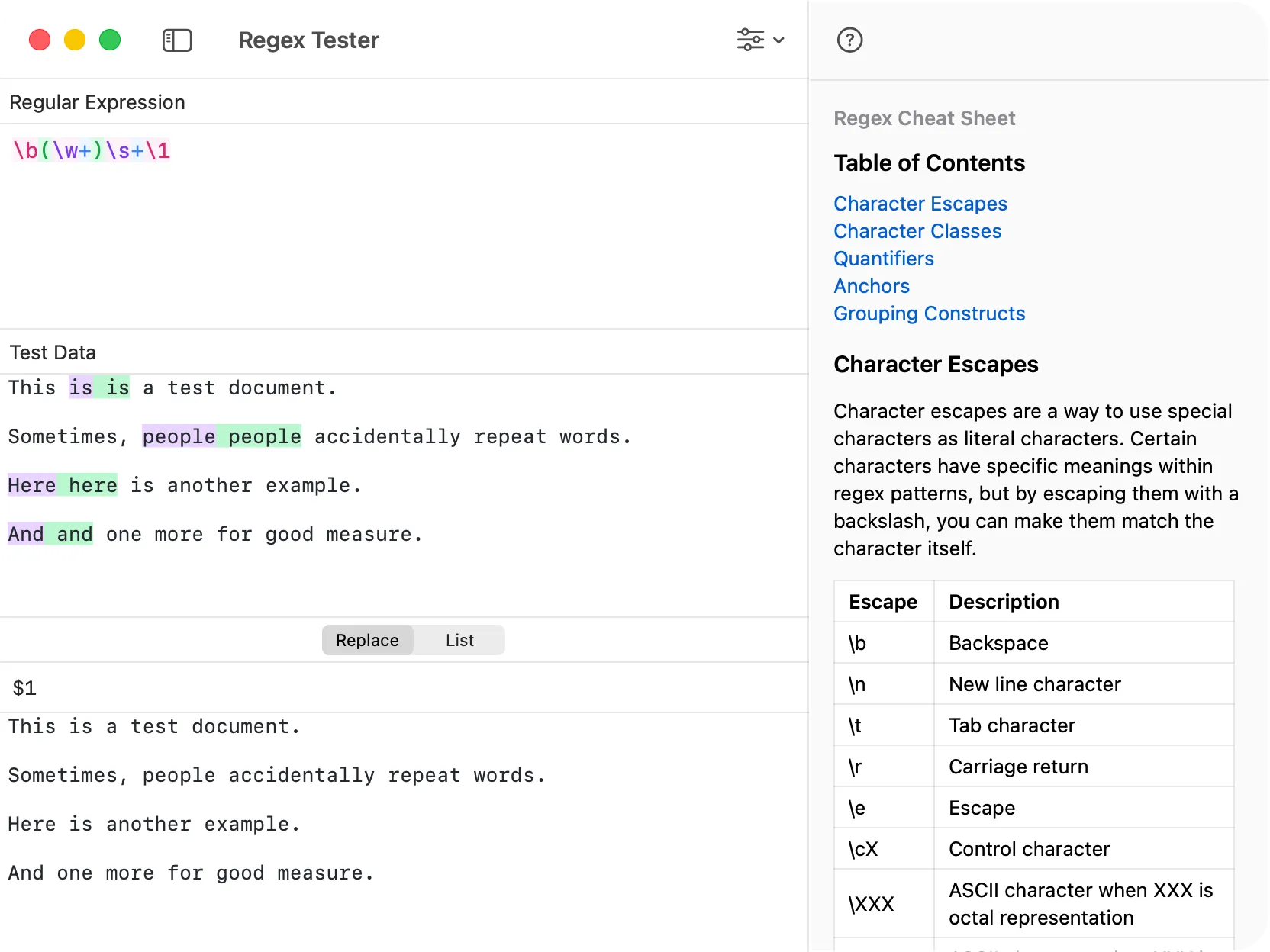
Section titled “Using The Tool”To use the Regex Editor, simply enter your regular expression pattern and the text you wish to test against it. The editor provides instant feedback, highlighting all matches and allowing you to fine-tune your pattern. It supports various regex flags and options to accommodate different matching behaviors.
Replacement Panel
Section titled “Replacement Panel”The editor includes a dedicated replacement panel that allows you to perform find-and-replace operations using your regex pattern. You can use capture group references (e.g., $1, $2) in your replacement string to insert parts of the matched text, making complex text transformations simple and efficient.
Match List Panel
Section titled “Match List Panel”All matches found by your regular expression are displayed in a clear, organized list in the Match List panel. This allows you to quickly see every instance of a match, inspect its value, and understand how your pattern is behaving across the entire text.
Group Highlighting Options
Section titled “Group Highlighting Options”DevKnife gives you control over how matched groups are visualized. You can choose between two modes:
- Highlight the whole match: This treats the entire matched string as a single unit, highlighting all of it uniformly.
- Highlight each group separately: This option assigns a different color to each captured group within your match, making it easy to distinguish and analyze the different parts of your pattern.