

Data Generator
The Data Generator tool helps you quickly create structured test data for development, prototyping, and testing. Instead of manually typing placeholder values, you can generate realistic data in seconds.
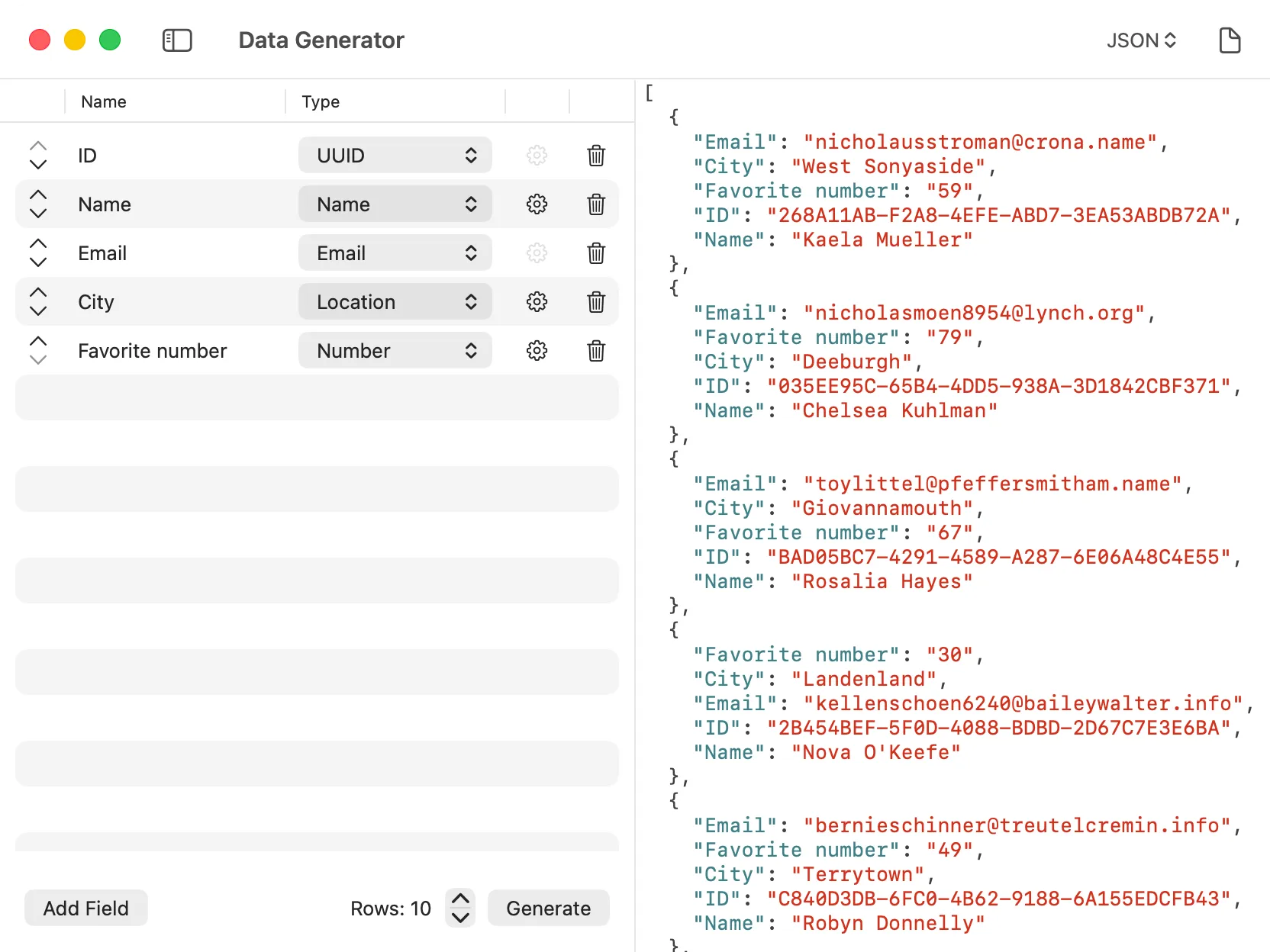
How it Works
Section titled “How it Works”The Data Generator provides a variety of data types that you can use to create realistic test data. Select the data types you need, configure the number of records, and generate your data instantly. The output can be formatted as JSON, CSV, or other formats for easy integration into your projects.
Available Data Types
Section titled “Available Data Types”The tool supports a wide range of data types:
Personal Information
Section titled “Personal Information”- Names: First names, last names, and full names
- Email Addresses: Realistic email addresses
- Phone Numbers: Phone numbers in various formats
- Addresses: Street addresses, cities, states, and zip codes
Numbers and Identifiers
Section titled “Numbers and Identifiers”- Numbers: Random integers or decimals within specified ranges
- UUIDs: Universally unique identifiers
- Boolean: Random true/false values
Geographic Data
Section titled “Geographic Data”- Latitude/Longitude: Random geographic coordinates for location-based testing
Dates and Times
Section titled “Dates and Times”- Dates: Random dates within specified ranges
- Timestamps: Unix timestamps or formatted date strings
Text and Content
Section titled “Text and Content”- Lorem Ipsum: Placeholder text in various lengths
- Words and Sentences: Random text for content testing
Using the Tool
Section titled “Using the Tool”- Select the data types you want to generate from the available options.
- Configure the number of records you need.
- Adjust any specific parameters for each data type (e.g., number ranges, date ranges).
- Click the generate button to create your test data.
- Copy the generated data or export it in your preferred format.
The Data Generator is particularly useful for:
- API Testing: Populate requests with realistic test data.
- Database Seeding: Generate sample records for development databases.
- UI Prototyping: Fill mockups with realistic content to test layouts and designs.
- Load Testing: Create large datasets for performance testing.