

Network Information
The Network Information tool provides instant access to your complete network configuration, displaying all essential network details in one organized view.
How it Works
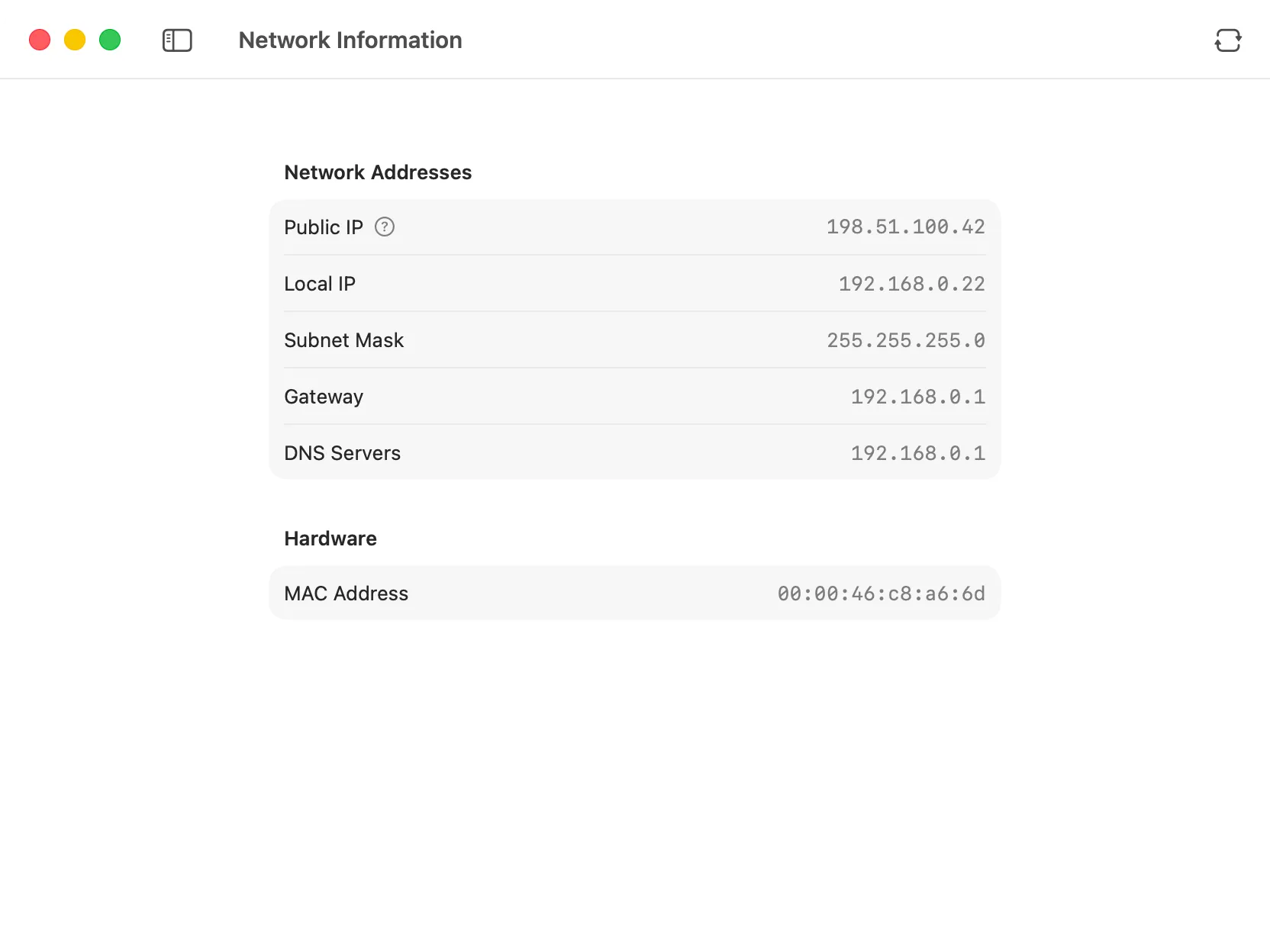
Section titled “How it Works”Network Information retrieves your current network configuration and displays it in two clear sections: Network Addresses and Hardware information. The tool automatically gathers all relevant details when you open it, and you can refresh the data at any time with the refresh button.
Network Details
Section titled “Network Details”The tool displays comprehensive information about your network setup:
Network Addresses
Section titled “Network Addresses”- Public IP: Your external IP address as seen by the internet. This is determined using AWS’s public anonymous service.
- Local IP: Your device’s IP address on the local network (e.g., 192.168.x.x or 10.x.x.x).
- Subnet Mask: The network mask that defines your local subnet (typically 255.255.255.0).
- Gateway: The IP address of your router or network gateway.
- DNS Servers: The DNS server addresses your system is currently using for domain name resolution.
Hardware
Section titled “Hardware”- MAC Address: The unique hardware address of your network interface, displayed in standard colon-separated format.
Using the Tool
Section titled “Using the Tool”Simply open the Network Information tool to see your current network configuration. All values are displayed automatically. If you switch networks or troubleshoot connectivity issues, click the refresh button in the toolbar to update all values.
This tool is particularly useful for:
- Quick Network Diagnostics: Verify your network settings without navigating through system preferences.
- Troubleshooting: Check your gateway and DNS settings when debugging connectivity issues.
- Network Setup: Confirm your local IP and subnet configuration when setting up services.
- Public IP Lookup: Quickly find your public IP address for remote access or firewall configuration.
All network information is retrieved directly from your system. No data is sent to external services except for the public IP lookup, which uses AWS’s anonymous service.